 Clarity Scribe
Open, fast and made for deep study of the Scriptures.
Clarity Scribe is a modern Bible study program: the Tanakh, the Apostolic Writings and the Pre-Canonical Scriptures side by side, with Hebrew and Greek, Strong's numbers, commentaries and dictionaries, in layouts you arrange yourself.
Download the previewSee the screensCreated by Mark Moseley. Linux now · Windows next · phone later.
Open, not locked
Many people study with e-Sword, and it has served a great many people well. But e-Sword is a closed program, and many of its add-on books are locked: encrypted so that they can be opened only inside e-Sword. There is no version for Linux.
Clarity Scribe is open. It reads the standard, open Bible formats that the wider world uses (CrossWire's SWORD modules, OSIS and USFM) as well as e-Sword files that are not locked. What you write stays yours: your notes are kept in an open format and can be exported to Word, OpenDocument, PDF or plain text.
Locked e-Sword books stay locked. Clarity Scribe does not break anyone's lock; it opens the books that are free to open.
What "open" means here
- Open Bible formats in, open formats out
- Your notes, highlights and bookmarks never trapped in one program
- Runs on Linux today, Windows in a later phase, a phone version after that
- Every book that ships with it is free to share, with its licence recorded
- Fonts under the SIL Open Font License, including BaR Paleo 2.0 for Paleo-Hebrew letters
Fast, on a modern foundation
The heart of Clarity Scribe is written in Rust, a modern programming language built for speed and for safety: whole families of crashes and memory errors that trouble older programs cannot happen in it. The screens use current web technology inside a light desktop shell (Tauri), not an old toolkit. Measured on our test machine with the current development build:
More tools
Each tool is marked with where it stands: In the preview you can use it now; Being finished built and in final testing; Coming planned and on the way.
Read any Bible
Book list in English or Hebrew order, Bible tabs, go to any passage, back and forward, chapter grid, light and dark themes.
Hebrew and Greek with Strong's
Point at a tagged word to see its Strong's definition. The Hebrew text can be shown in square letters or in Paleo-Hebrew.
Pre-Canonical Scriptures
Jubilees, Enoch and the other Pre-Canonical books in their own section; pick one and its installed versions become the tabs.
Layouts your way
Five built-in layouts, tiled panes you can split and resize, named layouts of your own, and panes torn off into their own windows.
Commentaries, dictionaries, lexicons
Commentary that follows the verse you read, Nave's topics, full Hebrew and Greek lexicon entries, cross references with their text.
Side by side and the verse inspector
Two to six Bibles in aligned columns, one verse in every Bible, and a word study showing how each Bible translates a Hebrew or Greek word.
Search
Words, phrases, wildcards and Strong's numbers, limited to the Torah, a book or any range you choose, in under a tenth of a second.
Notes with a full editor
Study notes, topic notes and a journal with a complete text editor, highlights in your own colours, automatic saving and backups.
Your library and PDFs
Bring in PDFs, Word files and web pages; every scripture reference in them becomes a link; turn a document into a Bible or commentary.
Comes with Bibles and study material
The first full release comes with a starter library, ready the moment it opens, with nothing to hunt for or download:
- King James Version, American Standard Version, World English Bible
- Westminster Leningrad Codex (Hebrew) and Textus Receptus (Greek)
- Strong's Hebrew and Greek dictionaries
- Matthew Henry's Concise Commentary, Nave's Topical Bible, Treasury of Scripture Knowledge
Every one is free to share. More can be added from CrossWire, eBible.org and Sefaria.
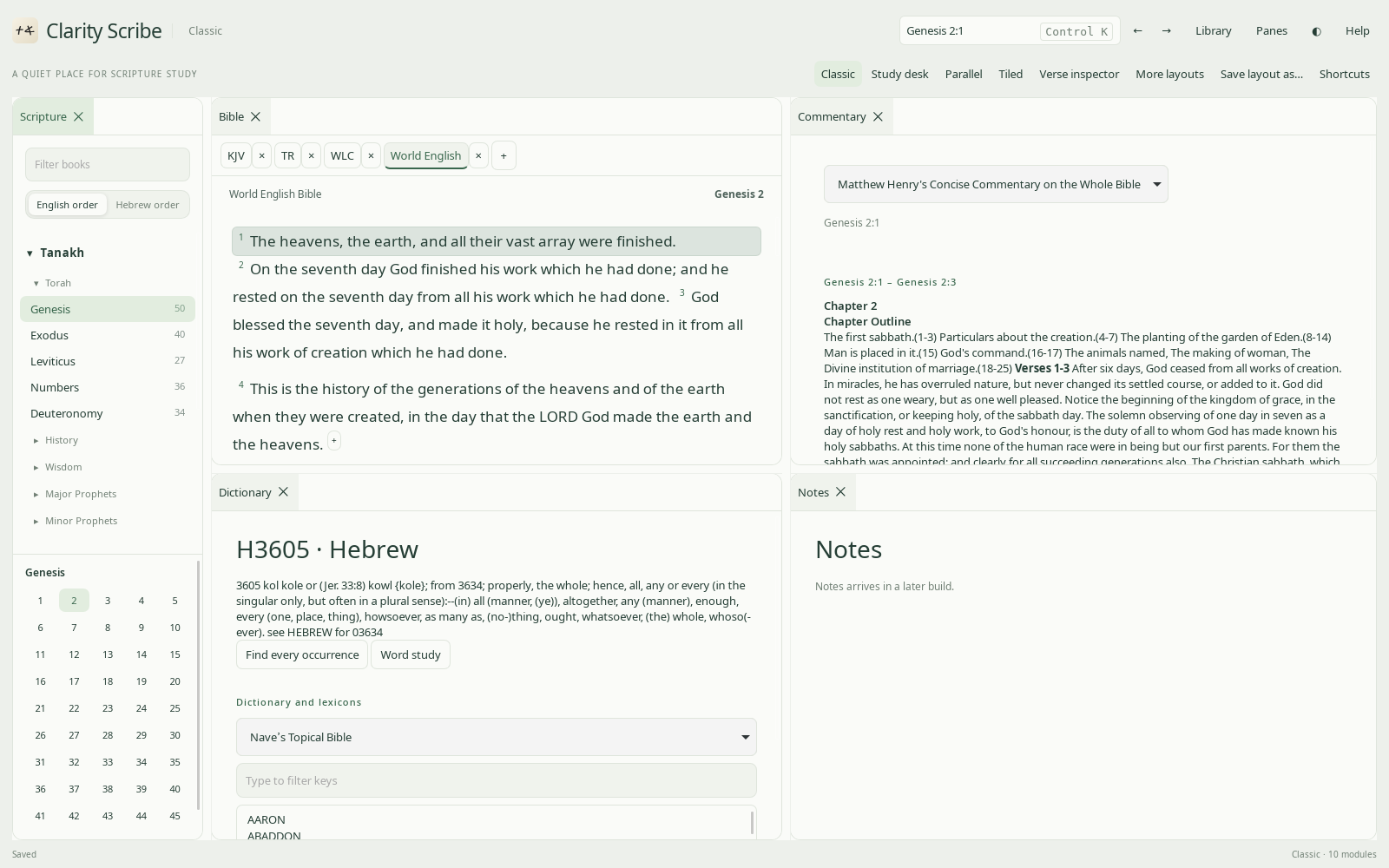
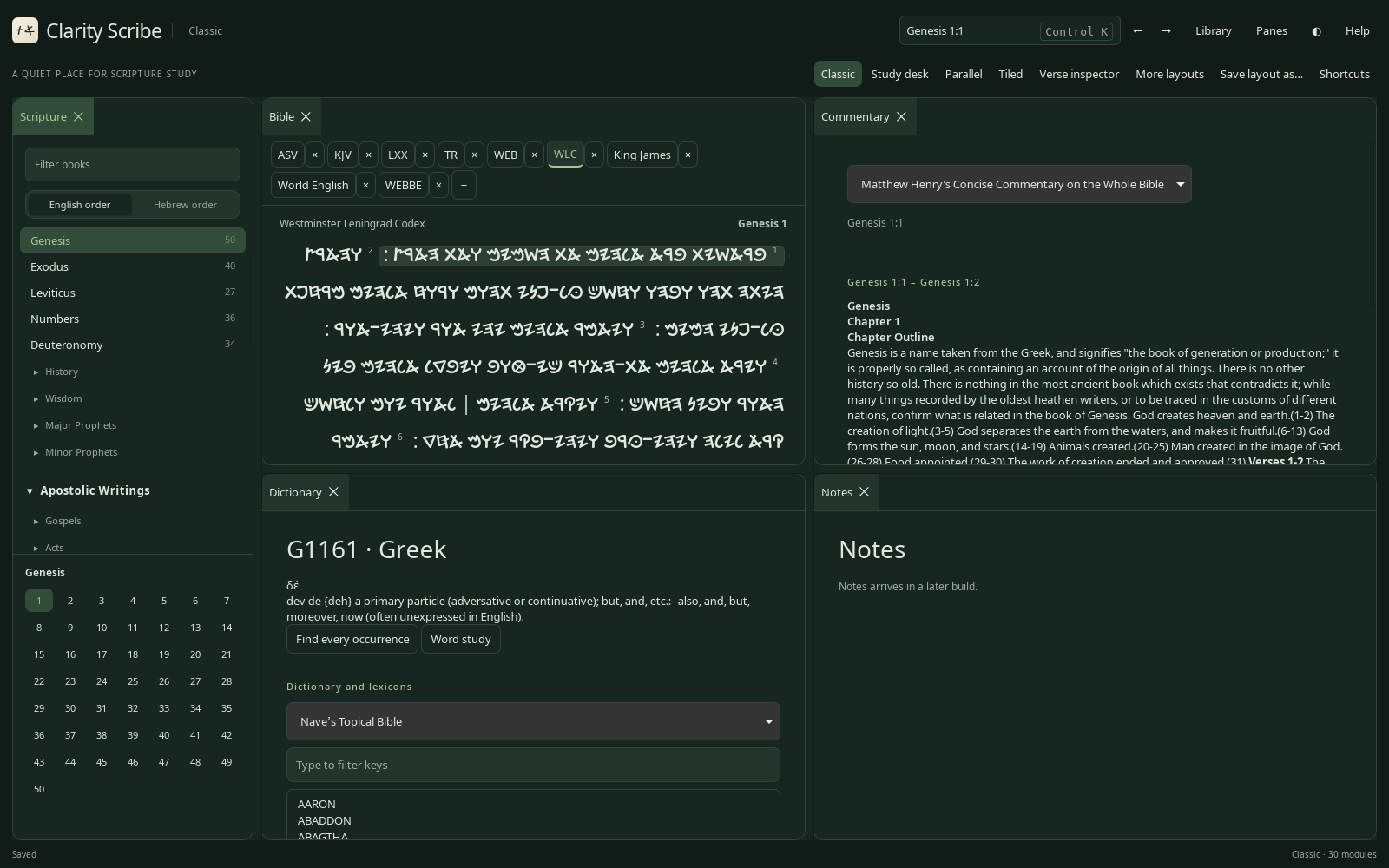
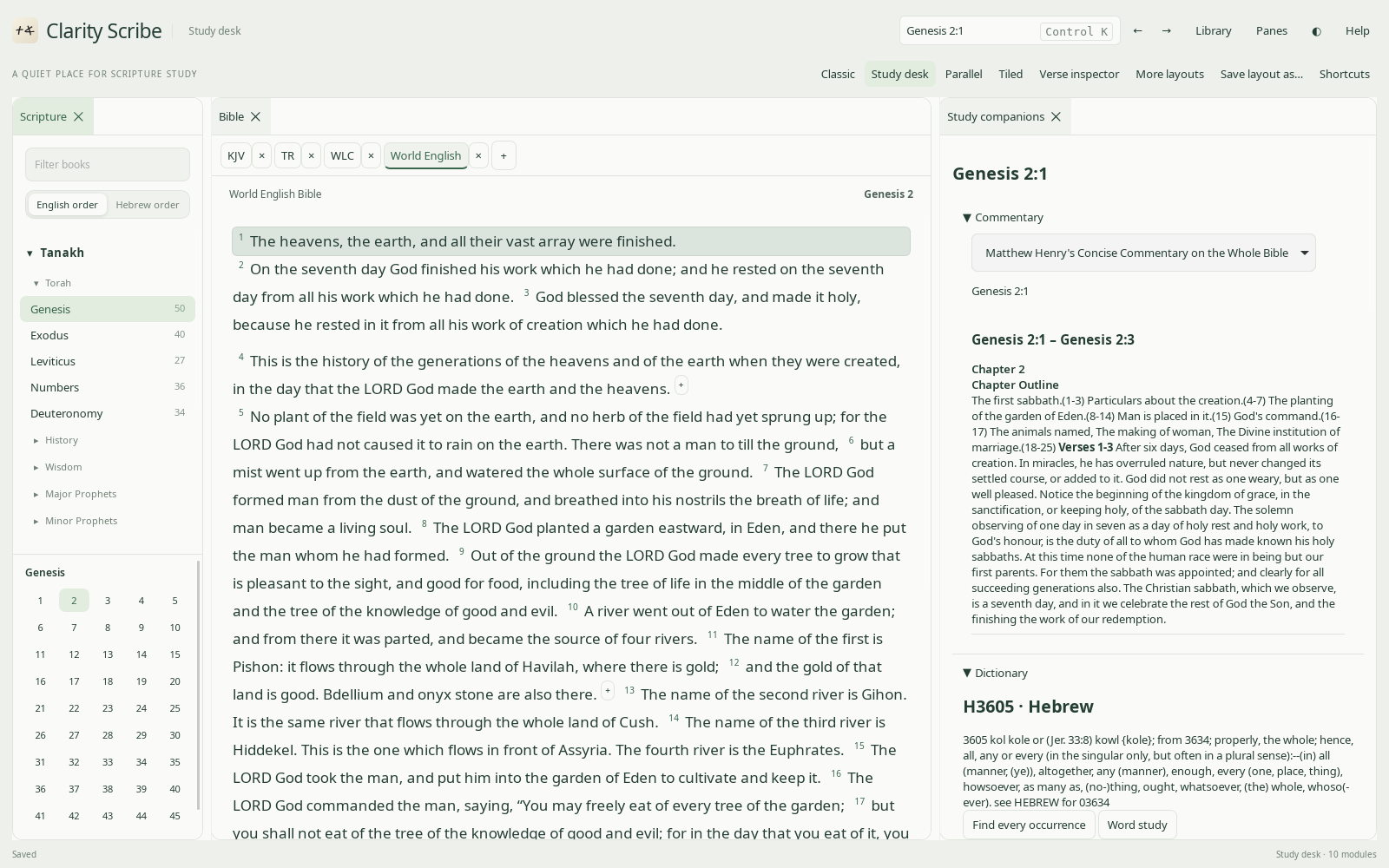
Screens from the real program
Taken from the current development build.
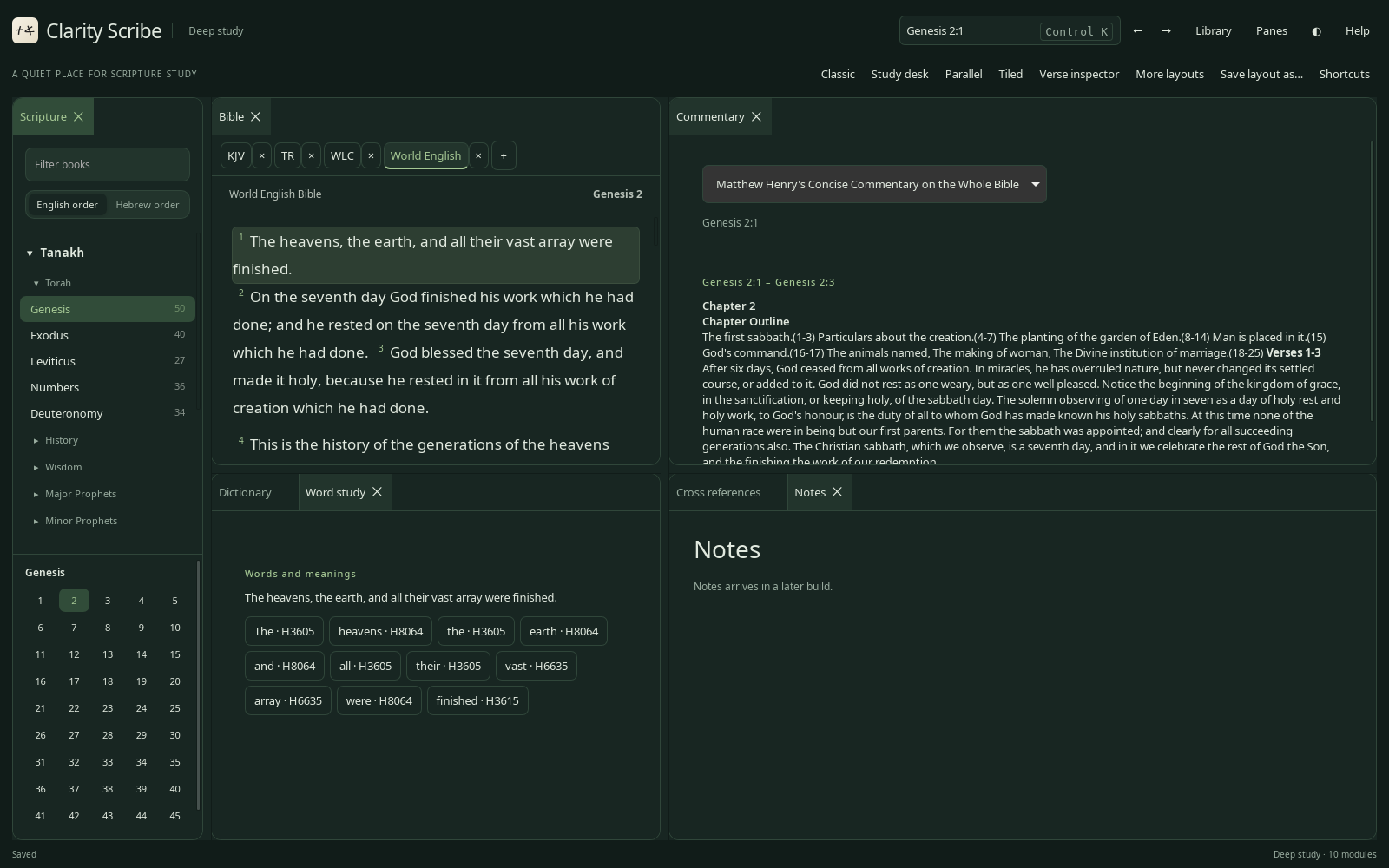
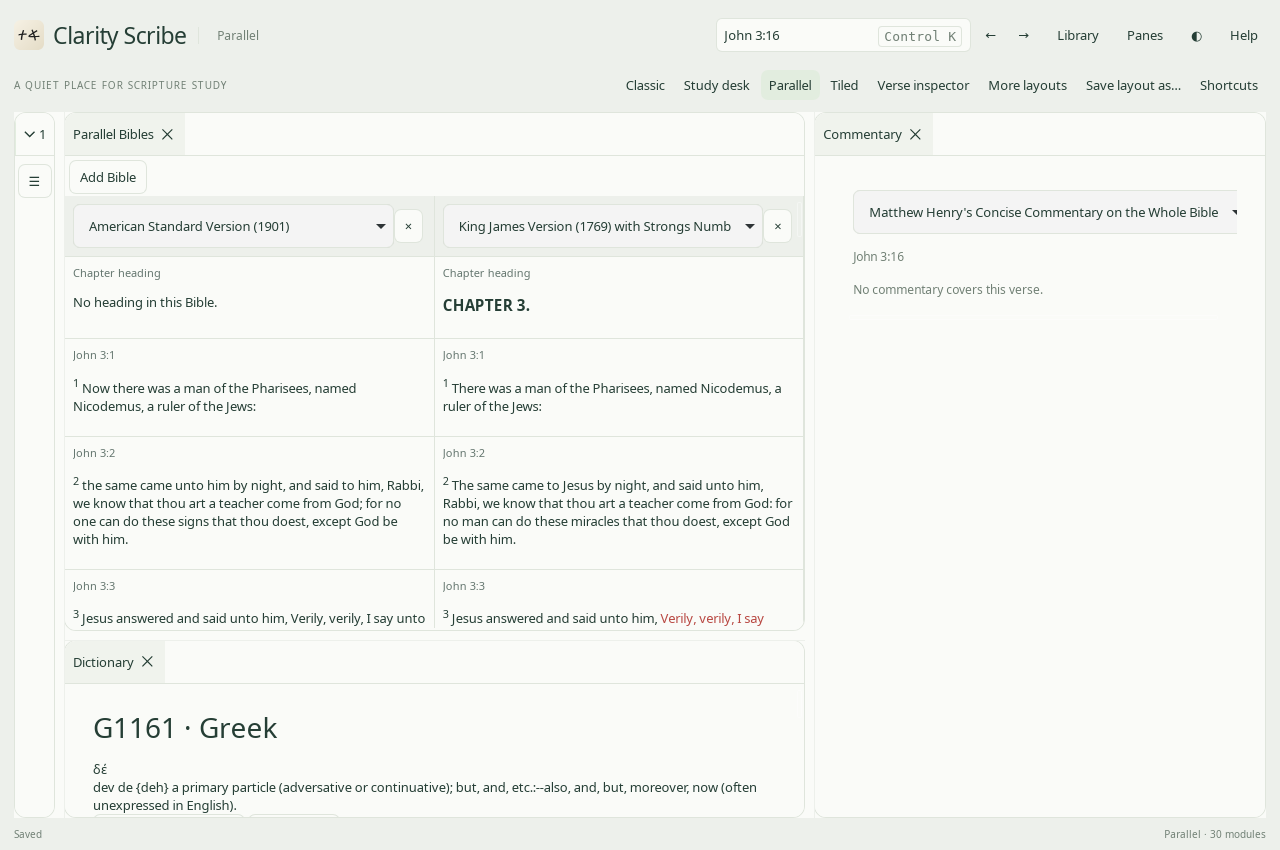
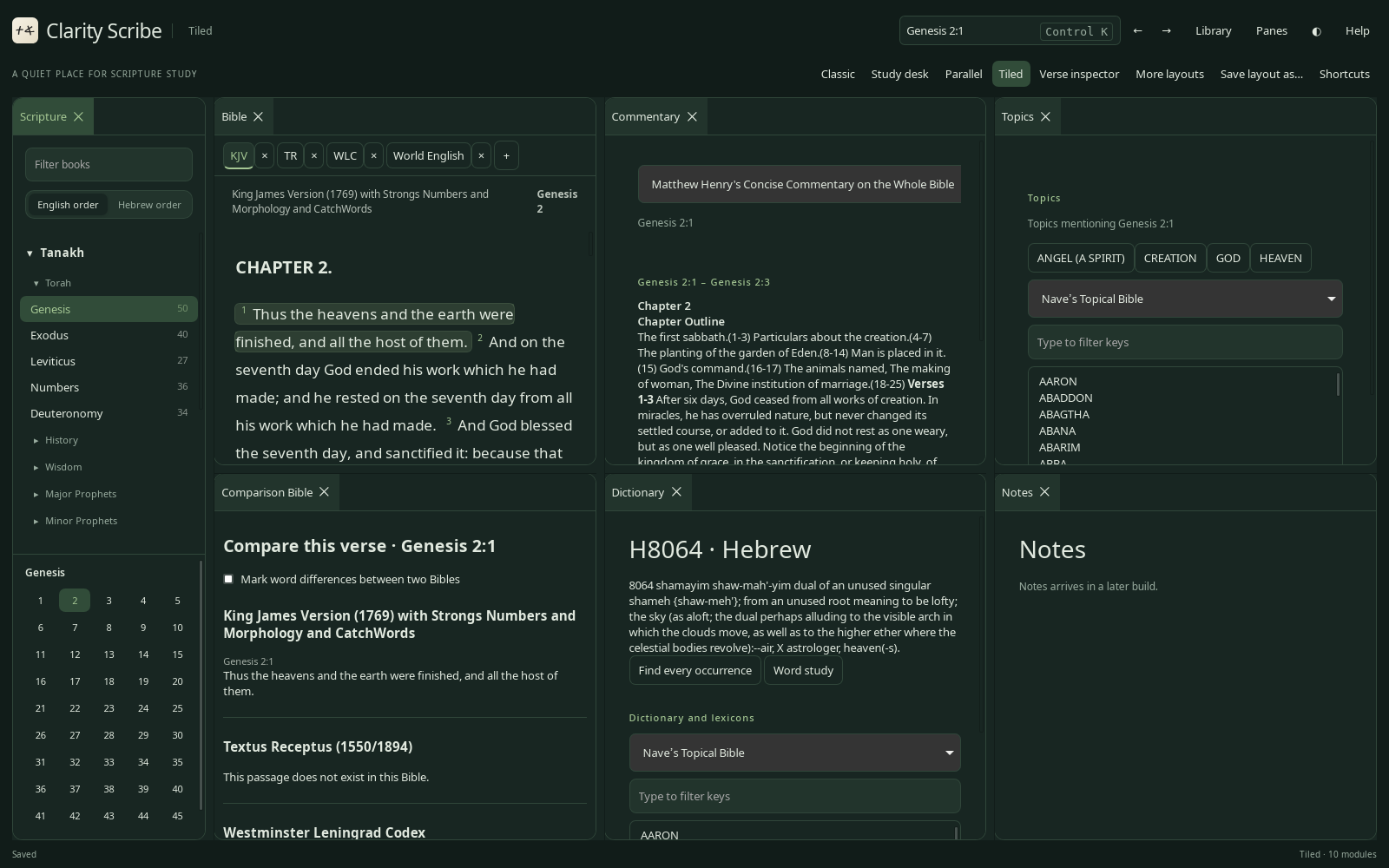
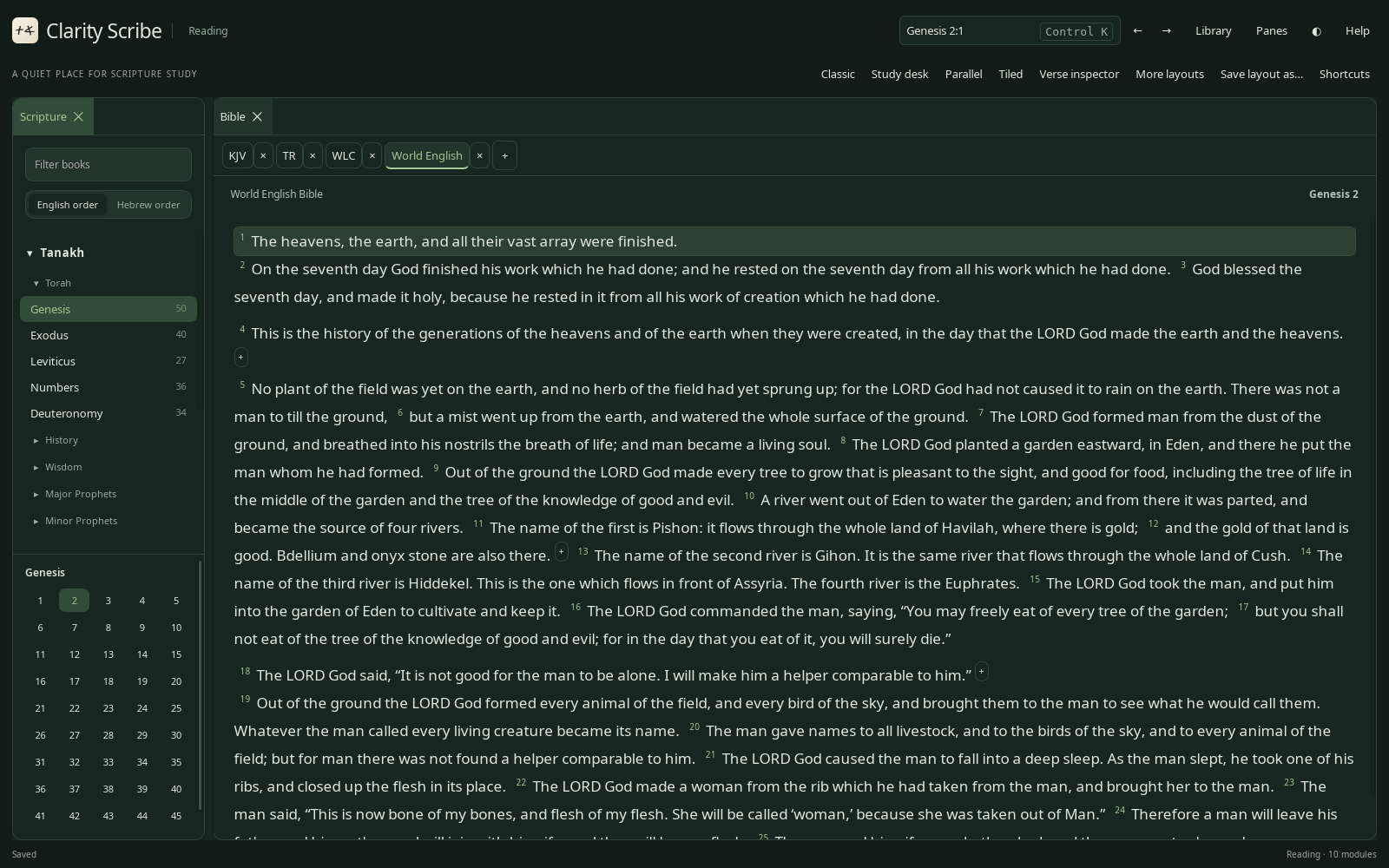
The five designs
Before a line of the program was written, these five study spaces were designed as working mock-ups. Open them and click around: the program follows them.
Classic, refined
Books on the left, the text in the middle, study tools on the right.
Study desk
The text with commentary, dictionary and notes gathered beside it.
Parallel focus
Several Bibles in aligned columns, verse by verse.
Tiled workspace
Split, move and resize panes any way you like.
Verse inspector
One verse, every Bible, every tool.
All five together
The overview page with the planned library folders.
Download the preview
Version 0.1.0 preview, for 64-bit Linux.
Ubuntu, Kubuntu, Debian, Mint
Install with: sudo apt install ./clarity-scribe_0.1.0-preview_amd64.deb
Any 64-bit Linux
Make it runnable, then open it: chmod +x clarity-scribe_0.1.0-preview_amd64.AppImage
Please note: this is an early preview, for seeing the program. Bibles are a separate download: get the starter library and more from the library page and unpack it into ~/.local/share/clarity-scribe/. An add-books window comes with a later build. The Windows version comes in a later phase. Checksums: SHA256SUMS.txt.